

If your printer says offline even though it is turned on, the problem is often related to a network connection, print queue, computer setting, or communication issue rather than a major printer failure.
Before calling for repair, there are several simple things you can check yourself. In this guide, we’ll explain why an office printer may suddenly appear offline, seven common causes, and the safe troubleshooting steps you can try to get it printing again.
Why Does My Printer Say Offline?
When a printer shows as offline, your computer is unable to communicate with it properly. The printer may still be powered on and working, but a network problem, incorrect setting, stalled print job, or connection issue can prevent documents from reaching the printer.
This is especially common with office printers connected through Wi-Fi or a business network. Finding the source of the communication problem is usually the first step toward getting the printer back online.
7 Common Reasons Your Printer Says Offline
1. The Printer Lost Its Network Connection
If your office printer connects through Wi-Fi or a network, a temporary connection problem can cause it to appear offline. Changes to the network, router, or printer’s connection can interrupt communication with your computer.
2. Loose USB or Ethernet Connection
For wired printers, check that the USB or Ethernet cable is securely connected. A loose or damaged cable can prevent your computer or network from communicating with the printer.
3. The Printer or Computer Needs to Be Restarted
Temporary communication errors can sometimes be resolved by restarting the printer and computer. Allow the printer to fully power down before turning it back on.
4. The Wrong Printer Is Selected
If multiple printers are installed on your computer, a document may be sent to the wrong device. Verify that you are selecting the correct office printer before printing.
5. A Print Job Is Stuck in the Queue
A failed or stalled print job can prevent additional documents from printing. Checking and clearing the print queue may restore normal communication with the printer.
6. Windows or Printer Driver Communication Problem
Printer drivers and Windows settings help your computer communicate with the printer. A corrupted driver, software problem, or recent system change can sometimes cause a working printer to appear offline.
7. Network or Printer Hardware Problem
If the printer repeatedly goes offline after basic troubleshooting, the issue may involve its network connection, internal hardware, or another component that requires professional diagnostics.
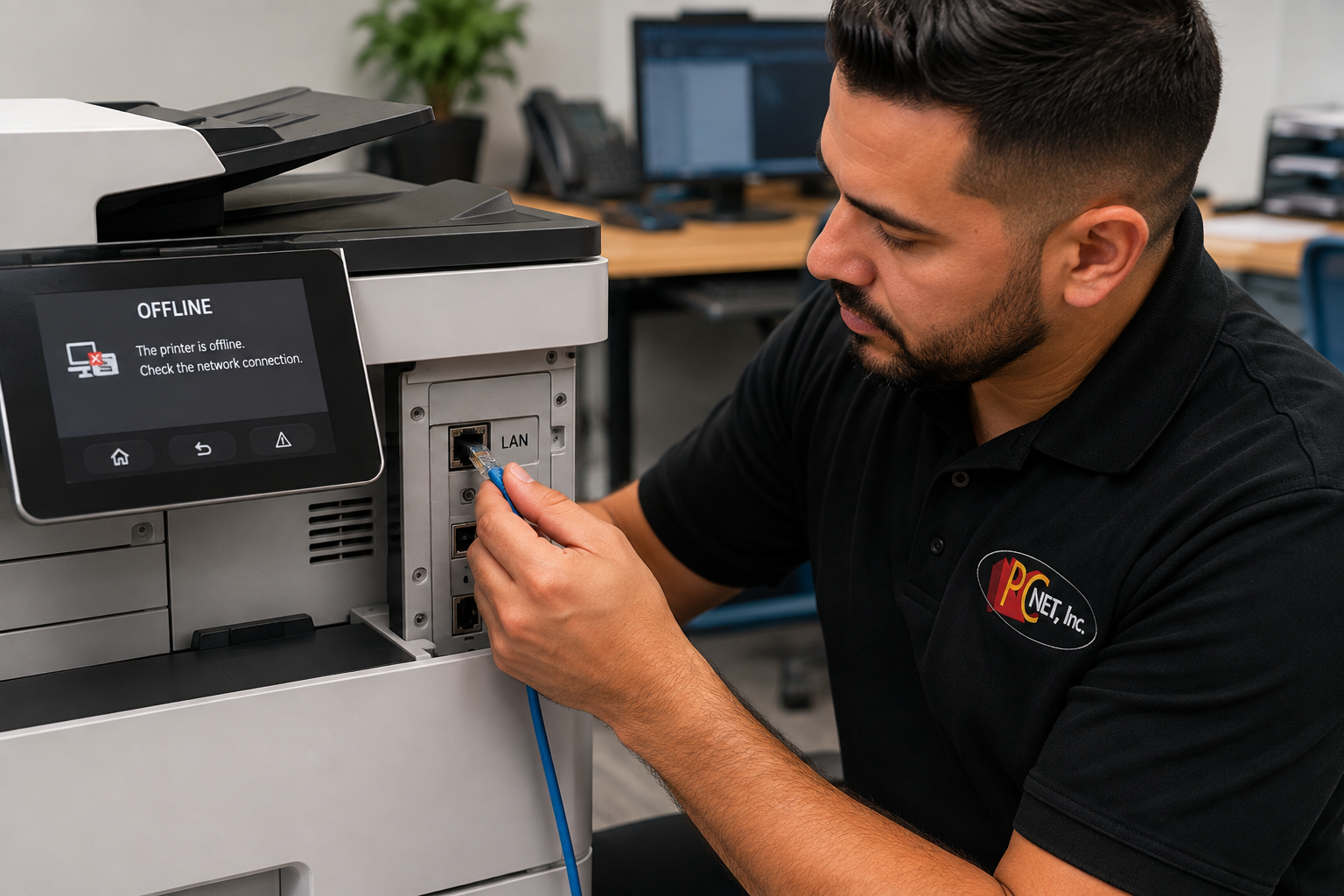
How to Get an Offline Printer Back Online
Before assuming your printer needs repair, try these simple troubleshooting steps:
- Check the printer’s status. Make sure it is powered on and does not display an error message that needs attention.
- Check the connection. For wired printers, verify that the USB or Ethernet cable is securely connected. For wireless printers, confirm that the printer is connected to the correct network.
- Restart the printer. Turn the printer off, wait about 30 seconds, and turn it back on. Allow it to finish starting before trying to print again.
- Restart your computer. This can clear temporary communication problems between Windows and the printer.
- Check the print queue. A stalled or failed print job may prevent other documents from printing. Cancel any jobs that appear stuck and try again.
- Verify the correct printer. If several printers are installed, make sure your document is being sent to the printer you actually want to use.
- Test from another computer if available. If other computers can print normally, the problem may be isolated to one workstation rather than the printer itself.
If the printer repeatedly goes offline after these steps, the issue may involve its network configuration, printer driver, network hardware, or an internal printer problem that requires further diagnostics.
For additional Windows printer troubleshooting, you can also review Microsoft’s official Windows printer troubleshooting resources.
When Is It Time to Call a Printer Repair Technician?
If your printer continues to show offline after checking the connections, restarting the equipment, clearing the print queue, and verifying the correct printer, the problem may require professional diagnostics.
Recurring offline problems can be caused by network configuration issues, printer drivers, communication problems, or failing printer hardware. This is especially important in an office where multiple employees depend on the same network printer.
If your printer is online but producing faded text, streaks, or uneven print quality, see our guide on how to troubleshoot faded or streaky printer output.
For persistent printer problems, you can also learn more about our professional printer repair services in Miami.
Frequently Asked Questions
Why does my printer say offline when it is turned on?
A printer can be powered on and still appear offline if your computer cannot communicate with it. Common causes include network connection problems, a stalled print queue, incorrect printer settings, driver issues, or a problem with the printer itself.
Why does my network printer keep going offline?
If a network printer repeatedly goes offline, the issue may be related to an unstable network connection, changing network settings, printer configuration, or communication between the printer and computers on the network. Recurring problems may require further diagnostics.
Can a printer be offline on one computer but work on another?
Yes. If other computers can print successfully, the problem may be limited to the affected computer rather than the printer. Checking the printer selection, print queue, connection, and printer software on that computer can help identify the cause.
Need Help With an Offline Printer in Miami?
If your printer keeps going offline and basic troubleshooting doesn’t solve the problem, PC Net can help identify whether the issue is related to the printer, computer, network connection, or configuration.
PC Net provides professional printer repair and troubleshooting for businesses and home users in Miami, FL and nearby communities. Our technicians can diagnose recurring printer problems and help get your equipment communicating and printing reliably again.
Need help with an offline printer? Contact PC Net today or call (305) 513-8614 to schedule service.