
Unauthorized remote access can pose a serious security risk to businesses, especially when remote-support software is installed without the computer user’s knowledge or authorization.
During a recent security investigation, PC Net, Inc. discovered an unauthorized ScreenConnect remote-access client on a business computer. ScreenConnect is a legitimate remote-support application used by IT professionals, but an unexpected installation raises important security questions about who installed it, why it was installed, and whether someone could use it to access the system.
Our investigation also uncovered repeated suspicious network connection attempts blocked by security software. We examined Windows services, reviewed possible persistence mechanisms, removed the unauthorized remote-access client, and performed additional checks to determine whether it would return.
In this real-world case study, we’ll explain what PC Net discovered, how we investigated the suspicious activity, the actions we took, and what businesses can learn about protecting their computers from unauthorized remote access.
How We Discovered Unauthorized Remote Access on the Computer
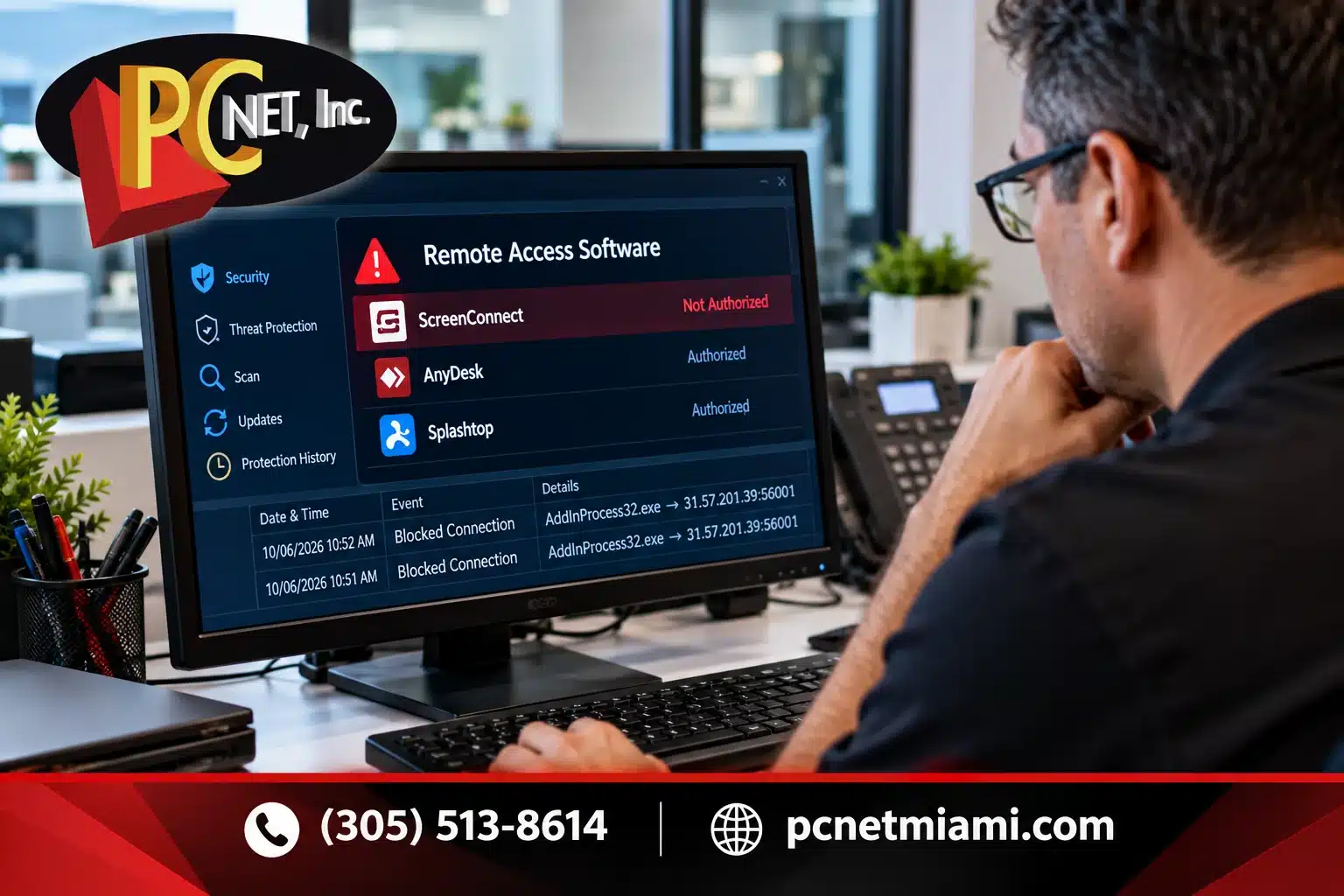
During our investigation of the business computer, PC Net identified an unexpected installation of ScreenConnect, a remote-access application that had not been authorized by the computer’s user.
ScreenConnect is a legitimate remote-support platform commonly used by IT professionals to troubleshoot computers, provide technical assistance, and access systems remotely. However, when this type of software appears without the user’s knowledge or approval, it becomes a potential security concern.
Our investigation also identified other remote-access applications, including AnyDesk and Splashtop. These applications were known to the user and had been intentionally installed. This distinction was important because not every remote-access program found on a computer represents a security threat.
The unauthorized ScreenConnect installation required further investigation. Remote-access software can potentially allow someone to interact with a computer without being physically present, depending on how it is configured. Although discovering an unauthorized installation does not automatically confirm that someone accessed the computer, it is a warning sign that should not be ignored.
Rather than simply removing every remote-access application, our priority was to identify the unauthorized software, investigate how it was configured, and check whether mechanisms existed that could allow it to remain active or return after remo
Investigating Suspicious Network Activity and Security Alerts
In addition to discovering the unauthorized ScreenConnect installation, PC Net investigated repeated security alerts generated by ThreatDown endpoint protection software.
The security logs showed that ThreatDown had repeatedly blocked outbound network connection attempts associated with a Windows executable named AddInProcess32.exe.
Although the connection attempts were being blocked, the repeated alerts warranted further investigation to determine why the process was attempting to communicate with an external IP address.
Was AddInProcess32.exe a Virus?
One important finding was that AddInProcess32.exe was not automatically malicious simply because its name appeared in a security alert.
According to Microsoft’s official .NET Framework documentation, AddInProcess32.exe is a legitimate executable used to host certain 32-bit application add-ins in a separate process.
During our investigation, we verified that the executable carried a valid Microsoft digital signature. However, a valid signature does not necessarily explain why a legitimate process is associated with unexpected network activity.
Rather than deleting a legitimate Windows component and potentially creating additional system problems, we focused on understanding the security alerts and examining other potentially unauthorized software installed on the computer.
Why the Blocked Connections Still Mattered
A security product blocking an outbound connection is an important protective measure, but it does not automatically establish the source or intent of the activity.
In this case, the repeated alerts provided valuable information that helped guide our investigation.
We also treated the network activity and the unauthorized ScreenConnect installation as separate findings. Although both required attention, we did not establish that ScreenConnect was responsible for the blocked connections.
This illustrates an important lesson for business computer security: a suspicious alert should be investigated in context, rather than assuming that every unusual process is malware or that every security event has the same cause.
How PC Net Removed the Unauthorized Remote Access Software
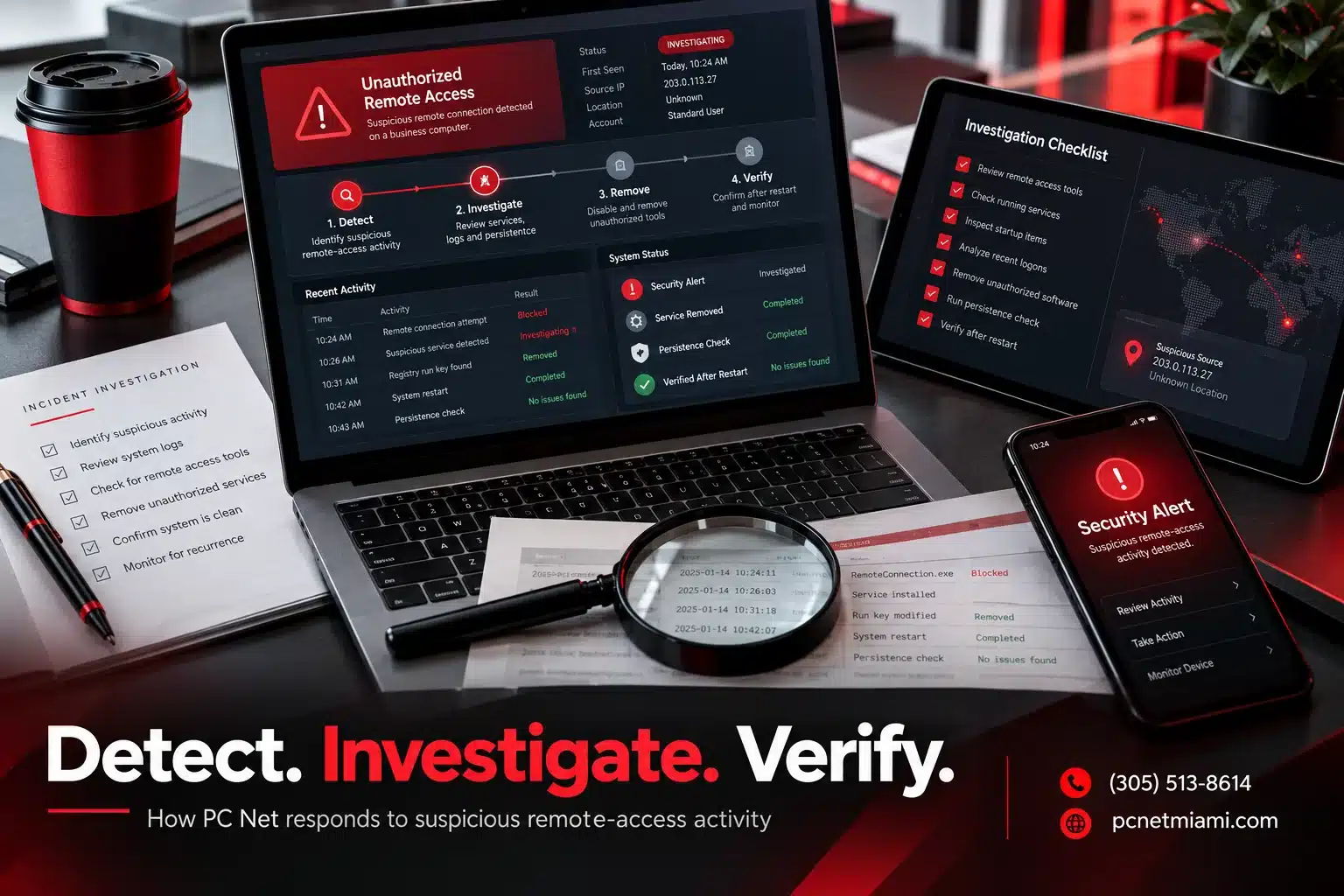
After identifying the unauthorized ScreenConnect installation, PC Net focused on removing the remote-access client and verifying that it would not automatically return when the computer restarted.
Removing unauthorized remote-access software requires more than simply closing a program. Depending on how it was installed, remote-access software may operate as a background Windows service, allowing it to remain active even when no application window is visible.
Identifying and Removing the ScreenConnect Service
During our investigation, we identified the Windows service associated with the unauthorized ScreenConnect client.
We removed the service and checked the computer to confirm that the associated installation folder was no longer present.
These steps were important because remote-support software can be configured to operate in the background without requiring someone to manually launch it each time Windows starts.
Checking for Persistence Mechanisms
After removing the unauthorized client, we examined Windows startup locations and scheduled tasks for signs that ScreenConnect could be launched or installed again.
This process is known as checking for persistence, a technique that can allow software to remain active or regain access after a computer restarts.
We then restarted the computer and performed additional verification.
Following the restart, the unauthorized ScreenConnect client did not reappear.
This was an important result because it confirmed that the removed client was not automatically recreated during our post-removal test.
Verifying the Results
Our investigation distinguished between legitimate remote-support applications and the unauthorized installation. We avoided unnecessarily removing software that the computer’s user had knowingly installed.
Although our checks confirmed that the unauthorized ScreenConnect client remained absent after restarting Windows, this result alone does not prove that every potential security risk on the computer was eliminated.
A complete security assessment may require additional investigation of system activity, user accounts, security logs, and other potential indicators of compromise.
The case demonstrates why investigating unauthorized remote access requires a careful, methodical approach rather than simply uninstalling unfamiliar applications and assuming the computer is secure.
What Businesses Can Learn From This Security Incident
This investigation highlights an important cybersecurity concern: legitimate remote-access software can become a security risk when installed or used without proper authorization.
Remote-support tools are essential for many businesses. They allow IT professionals to troubleshoot problems, maintain systems, and assist employees without visiting every workstation. However, businesses need visibility into which remote-access applications are installed and who is authorized to use them.
The Cybersecurity and Infrastructure Security Agency (CISA) recommends auditing remote-access tools, reviewing unusual activity, and maintaining appropriate controls over remote-management software.
1. Know What Software Is Installed on Business Computers
Organizations should maintain an inventory of approved software, particularly applications capable of providing remote access.
If an unfamiliar remote-support application appears on a computer, IT personnel should investigate its purpose, installation history, and authorization before deciding how to respond.
2. Don’t Ignore Repeated Security Alerts
In our investigation, ThreatDown repeatedly blocked suspicious outbound connection attempts.
Although the blocked connections were not confirmed to be related to ScreenConnect, they demonstrated why security alerts deserve professional attention.
Repeated warnings should not automatically be dismissed simply because security software reports that a connection was blocked.
3. Verify That Unauthorized Software Has Been Removed
Removing an unauthorized application is only part of the investigation.
Technicians should also examine relevant background services, startup mechanisms, scheduled tasks, and other potential persistence methods.
Restarting the computer and checking whether the application returns can help verify the effectiveness of removal, although additional investigation may still be necessary.
4. Consider Proactive IT Monitoring and Management
Many small businesses operate without dedicated internal IT security personnel. As a result, suspicious software installations or security alerts may go unnoticed until an employee reports a problem.
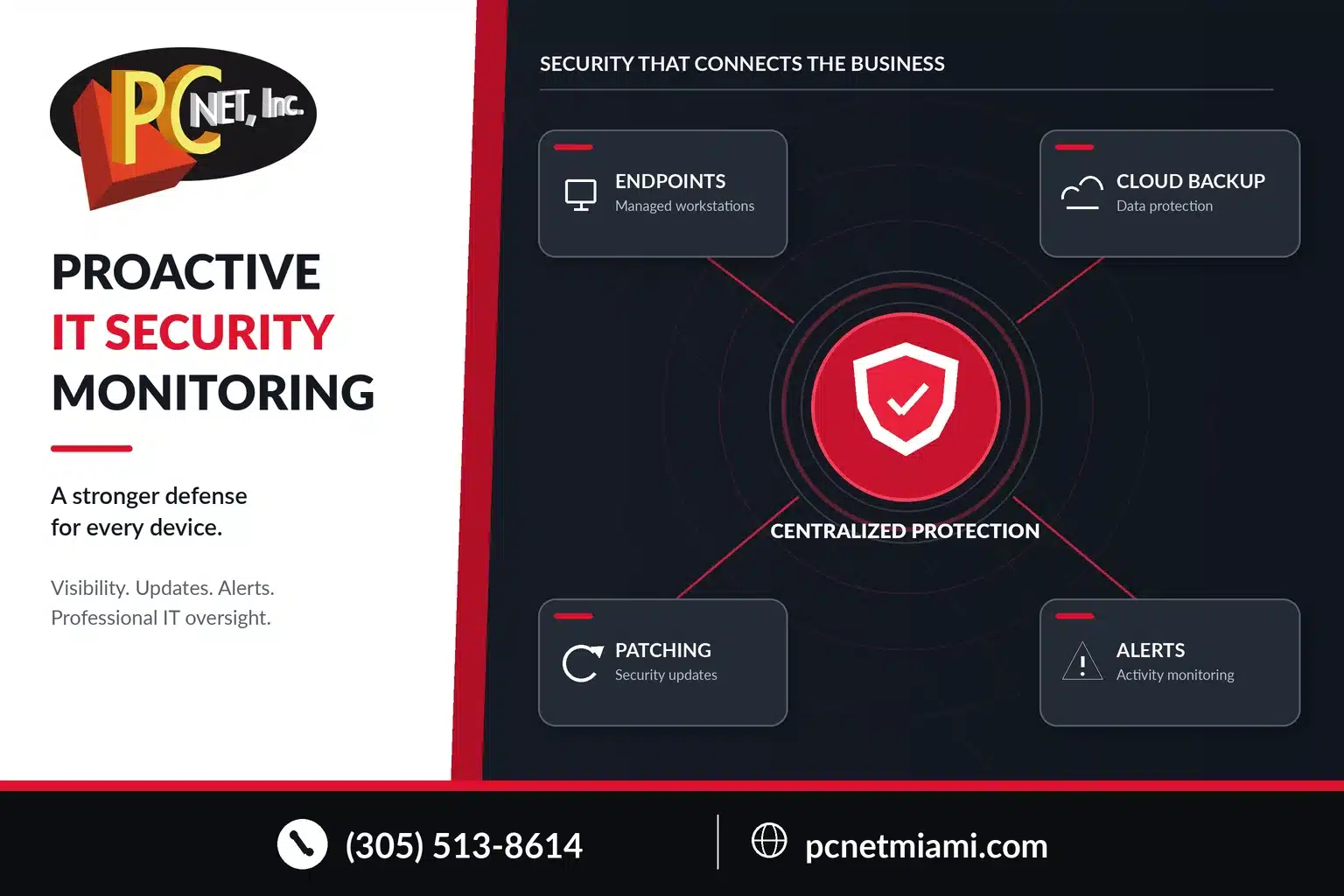
A Managed Service Provider (MSP) can help businesses maintain visibility into their computers through endpoint protection, monitoring, software management, security updates, and professional troubleshooting.
PC Net provides Managed IT Services in Miami to help local businesses manage their technology, strengthen security, and respond to potential problems.
While no security solution can guarantee that every threat will be prevented, combining appropriate security tools with ongoing monitoring and experienced IT support can significantly improve a business’s ability to identify and respond to suspicious activity.
Signs Someone May Have Unauthorized Remote Access to Your Computer
Unauthorized remote access is not always obvious. In some cases, remote-access software can operate quietly in the background without displaying a visible window or notification.
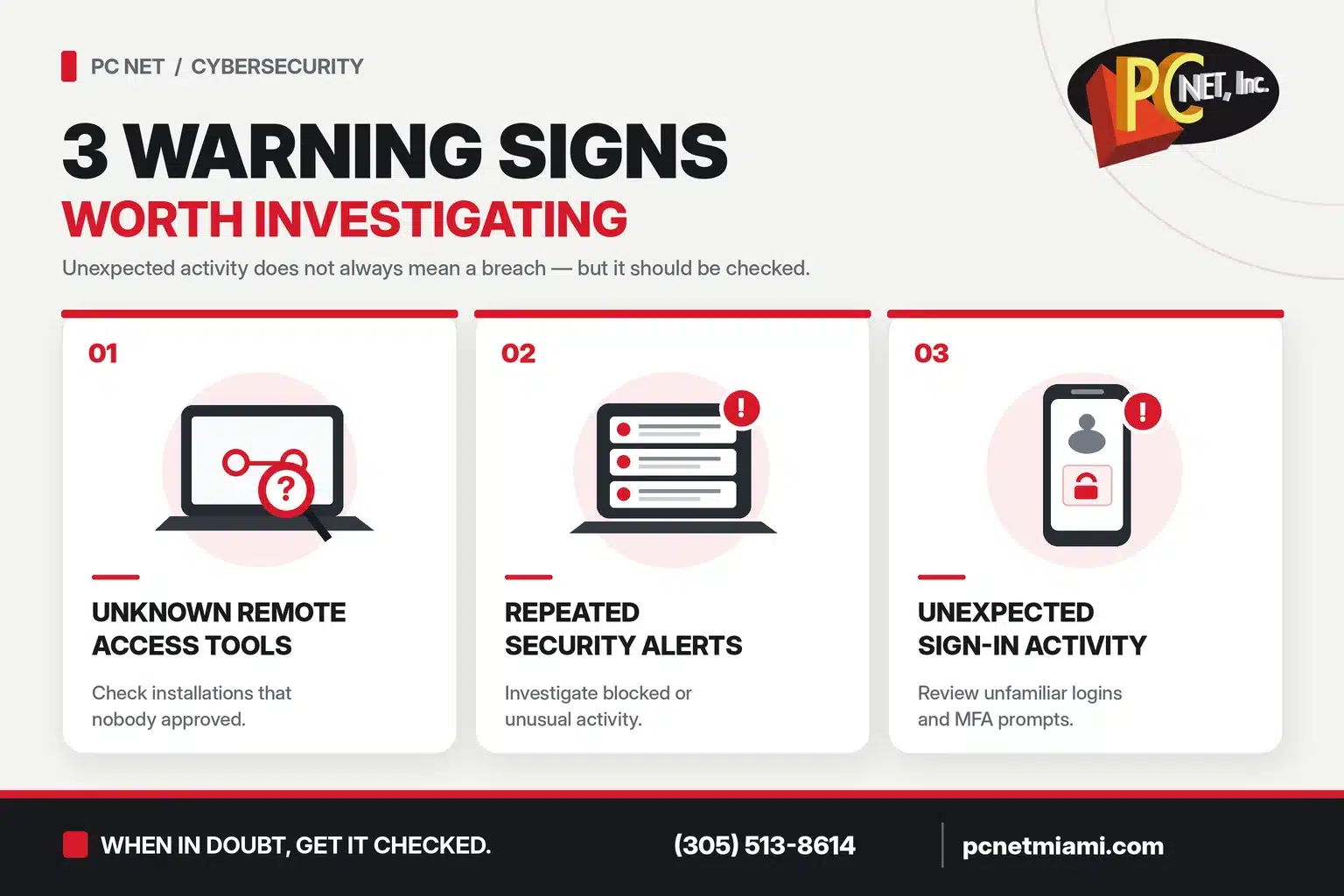
While no single warning sign proves that a computer has been compromised, certain activities should prompt further investigation.
1. Unfamiliar Remote-Access Applications
Finding remote-support software such as ScreenConnect, AnyDesk, TeamViewer, or similar applications that you do not recognize may be a reason for concern.
These programs are legitimate IT tools, but their presence should be verified with your IT provider or system administrator.
2. Unexpected Mouse Movement or Computer Activity
A mouse pointer moving without your input, applications opening unexpectedly, or unfamiliar actions occurring on the screen could indicate an active remote session.
However, these symptoms can also have other explanations, including hardware problems or authorized remote support.
3. Repeated Antivirus or Endpoint Security Alerts
Security software may detect suspicious network connections, potentially unwanted applications, or other unusual activities.
As our investigation demonstrated, repeated security alerts deserve attention even when the security application reports that a connection was successfully blocked.
4. Unknown Background Services or Startup Programs
Some remote-access applications install Windows services that allow them to operate automatically in the background.
An unfamiliar service or startup entry does not necessarily indicate malicious activity, but unexpected remote-management components should be reviewed by qualified IT personnel.
5. Unexpected Account or Remote Login Notifications
Unrecognized sign-in activity, unexpected multifactor authentication requests, or notifications about remote sessions that you did not initiate may indicate an attempt to access your accounts or systems.
Businesses should investigate these notifications promptly and verify that access is limited to authorized users.
What Should You Do If You Suspect Unauthorized Remote Access?
If you suspect that someone has installed remote-access software without permission, avoid immediately deleting files or making extensive system changes that could interfere with a security investigation.
Contact your IT provider or security team promptly. If you believe someone is actively controlling the computer, disconnecting it from the network may help interrupt remote access while the incident is assessed.
A professional investigation can help identify unauthorized applications, examine relevant system activity, determine the appropriate response, and verify that identified threats have been addressed.
Remember: the presence of remote-access software does not automatically mean a computer has been hacked. The key questions are whether the software was authorized, how it was configured, and whether any unauthorized activity actually occurred.
Frequently Asked Questions About Unauthorized Remote Access
Can someone remotely access my computer without my permission?
Yes. If remote-access software has been installed and configured without your authorization, another person may be able to connect to your computer, depending on the application’s settings and access controls. However, discovering remote-access software does not automatically prove that an unauthorized connection occurred.
Is ScreenConnect a virus or malware?
No. ScreenConnect is a legitimate remote-support application commonly used by IT professionals and Managed Service Providers. However, like other remote-access tools, it can create a security risk if installed or operated without proper authorization.
Does finding unauthorized remote-access software mean my computer was hacked?
Not necessarily. An unauthorized installation is a serious security concern, but additional investigation is needed to determine whether someone actually accessed the computer, performed actions, or obtained information. Security logs, remote-session records, and other available evidence may help establish what occurred.
Can antivirus software detect unauthorized remote access?
Antivirus and endpoint protection software can detect or block certain suspicious activities, but legitimate remote-support programs are not always classified as malicious.
This is why businesses benefit from combining endpoint protection with software inventory management, monitoring, and professional security investigations.
Need Help Investigating Suspicious Activity on Your Business Computer?
Finding unfamiliar remote-access software or receiving repeated security alerts can raise serious concerns about your business’s cybersecurity.
As this real-world investigation demonstrates, identifying unauthorized software, reviewing suspicious activity, and verifying removal require more than simply running an antivirus scan.
With over 27 years of experience, PC Net, Inc. provides professional business IT support, cybersecurity assistance, and Managed IT Services to companies throughout Miami and surrounding areas.
Whether your business needs help investigating suspicious computer activity, managing endpoint security, or implementing proactive IT monitoring, our team can help you evaluate the situation and determine the appropriate next steps.
Concerned about unauthorized remote access or suspicious activity on your business computers?
Contact PC Net for professional IT assistance.
Call: (305) 513-8614
Website: Contact PC Net
PC Net, Inc. — Your Local Miami IT Support and Managed Services Partner.