
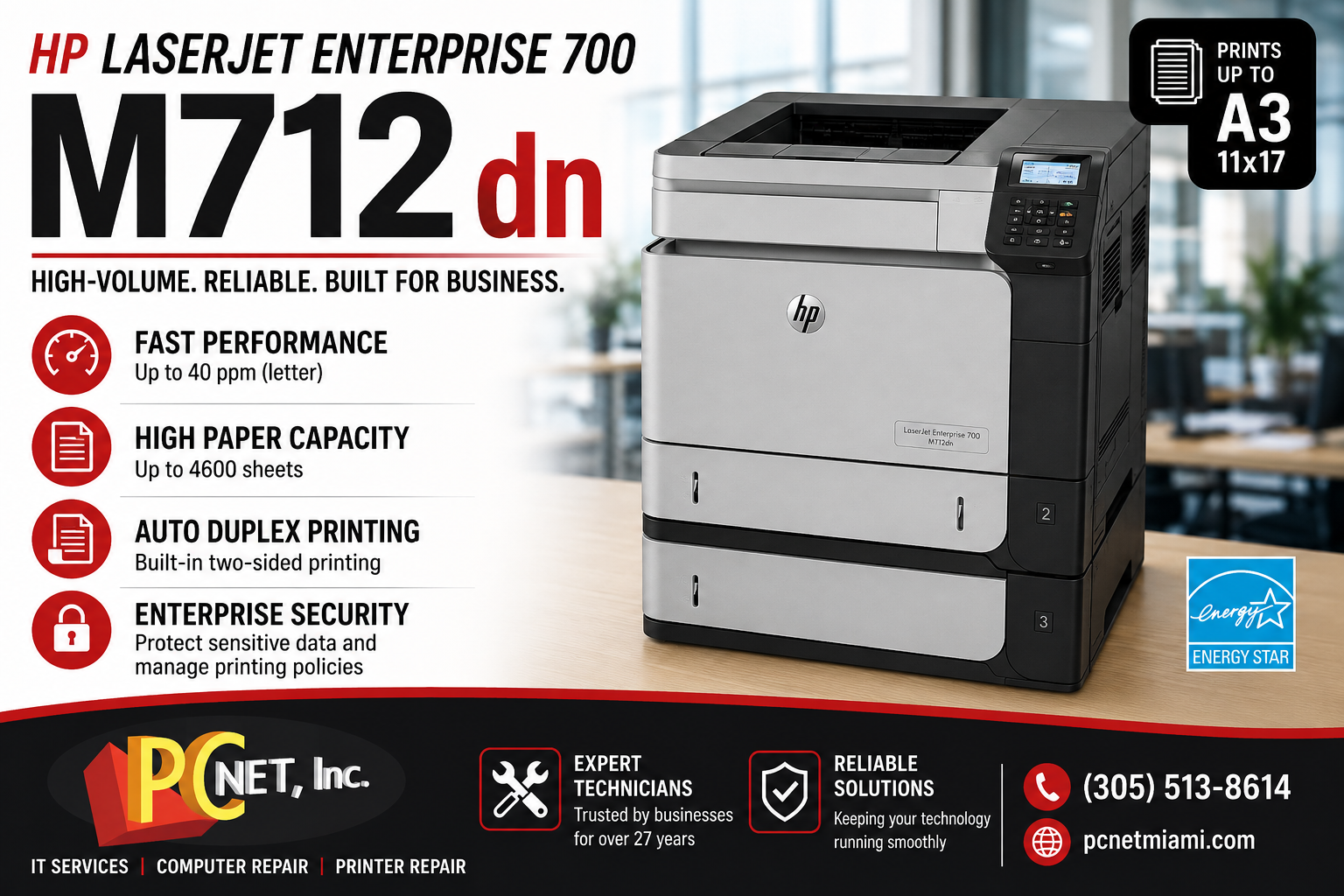
The HP LaserJet Enterprise 700 M712dn is a high-volume monochrome laser printer designed for businesses that need fast, reliable black-and-white printing and support for larger paper sizes. Unlike many standard office laser printers, the M712 series can handle media sizes up to A3/11 x 17, making it useful for businesses that regularly print spreadsheets, diagrams, reports, marketing materials, and other large-format documents.
Although the HP M712 series has been available for many years, these printers can still be found in business environments where durability, paper capacity, and straightforward network printing are important.
HP LaserJet Enterprise 700 M712dn Overview
The HP LaserJet Enterprise 700 M712dn is part of HP’s M712 family of enterprise monochrome printers. The series includes the M712n, M712dn, and M712xh.
One of the primary differences between the models is their included paper-handling and storage features. The M712dn adds automatic two-sided printing, while the M712xh provides additional paper capacity and an integrated hard disk.
For businesses considering a used M712 or deciding whether to continue maintaining an existing unit, understanding these differences can help determine which configuration best fits the office.
Fast Black-and-White Business Printing
The M712 series is capable of printing up to 40 pages per minute on letter-size paper, making it suitable for offices that regularly produce larger print jobs.
Because it is a monochrome printer, the M712dn is best suited for businesses primarily printing black-and-white documents rather than color marketing materials.
Typical business uses can include:
- Contracts and reports
- Accounting and financial documents
- Large spreadsheets
- Forms and administrative paperwork
- Technical documents
- 11 x 17 business documents
- High-volume office printing
The ability to print larger media is one of the features that separates the M712 series from many conventional desktop laser printers.
Paper Handling and High-Volume Printing
Paper handling is an important consideration when evaluating the HP LaserJet Enterprise 700 M712dn.
The M712 series includes a 100-sheet multipurpose tray along with two 250-sheet paper trays. Additional paper-handling accessories can increase capacity considerably for organizations that regularly process large print jobs.
The M712dn also includes automatic two-sided printing, which can help businesses reduce paper consumption when producing reports and other multi-page documents.
As with any high-volume printer, however, paper-feed components can eventually wear. Recurring paper jams, failure to pick up paper, multiple sheets feeding together, or unusual noises may indicate that rollers or other paper-path components require inspection.
If your office is experiencing this type of problem, see our guide to office printer paper jams.
Network Printing and Printer Management
The HP M712 series was designed for shared business environments where multiple users may need access to the same printer.
Network connectivity allows the printer to be centrally available rather than connected directly to an individual employee’s computer.
HP Web Jetadmin can also be used in compatible environments to help IT administrators manage printers and monitor devices across an organization.
When a network printer stops working, however, the printer itself isn’t always the source of the problem. IP address changes, network connectivity, Windows print queues, drivers, print servers, and configuration problems can also prevent users from printing.
Proper diagnosis can help determine whether the issue involves the printer hardware or the business network.
Security and Business Environments
Business printers can process sensitive information such as financial reports, employee records, customer documents, contracts, and internal communications.
The M712 series was designed with enterprise management and security capabilities intended for managed business environments.
Organizations using older printers should also consider the entire technology environment when evaluating security. Printer configuration, network access, firmware, user permissions, and the security of connected computers can all affect how business information is protected.
PC Net provides business IT support in Miami for companies that need assistance maintaining computers, networks, cybersecurity, backups, and other essential technology.
HP M712 Model Comparison
The M712 family was offered in several configurations:
| Feature | M712n | M712dn | M712xh |
|---|---|---|---|
| Part Number | CF235A | CF236A | CF238A |
| Print Speed | Up to 40 ppm | Up to 40 ppm | Up to 40 ppm |
| Control Panel | 4-line color display | 4-line color display | 4-line color display |
| 100-sheet Multipurpose Tray 1 | Included | Included | Included |
| 250-sheet Tray 2 | Included | Included | Included |
| 250-sheet Tray 3 | Included | Included | Included |
| 500-sheet Tray 4 | Optional | Optional | Included |
| Automatic Two-Sided Printing | Optional | Included | Included |
| Regular/High-Capacity Toner | Supported | Supported | Supported |
| HP High Performance Secure Hard Disk | Not included | Not included | Included |
| ENERGY STAR Qualified | No | Yes | Yes |
For many businesses, the M712dn offered a useful balance because automatic duplex printing was included without moving to the higher M712xh configuration.
Common HP LaserJet Enterprise 700 M712dn Problems
As these printers accumulate age and print volume, businesses may encounter issues including:
- Repeated paper jams
- Paper pickup problems
- Print-quality defects
- Faded or streaked output
- Error messages
- Network connectivity problems
- Slow or stuck print queues
- Unusual mechanical noises
Not every problem means the printer needs to be replaced. Depending on the printer’s condition and the component involved, repairing an existing enterprise printer may still make financial sense.
For manufacturer documentation, drivers, firmware, and technical resources, visit HP Support.
Repair or Replace an HP M712dn?
The decision to repair or replace an older business printer should be based on more than age alone.
Consider the printer’s overall condition, page count, repair history, availability and cost of parts, supply costs, required paper sizes, and whether the printer continues to meet the company’s workflow requirements.
An organization that regularly needs 11 x 17 monochrome printing may have different replacement requirements than a small office that only prints letter-size documents.
Having the problem properly diagnosed before purchasing another printer can help a business make a more informed decision.
HP Printer Repair and Business IT Support in Miami
PC Net, Inc. provides professional printer repair services in Miami for businesses experiencing paper jams, print-quality problems, error messages, network printing issues, and other printer failures.
We also provide Managed IT Services in Miami, helping businesses maintain computers, networks, cybersecurity, backups, Microsoft 365, and other office technology.
Call PC Net, Inc. at (305) 513-8614 for printer repair or business IT support in Miami.