
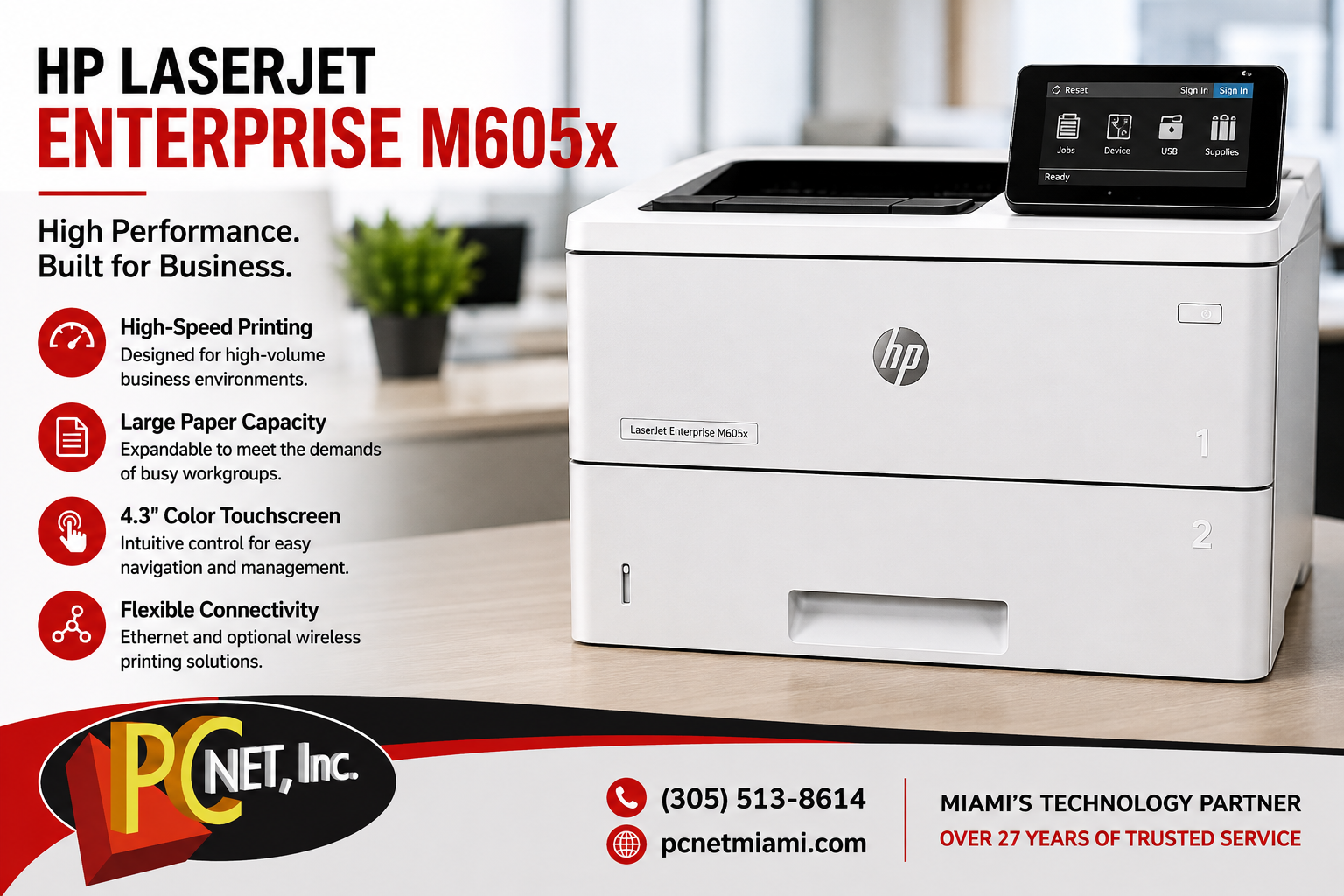
The HP LaserJet Enterprise M605x is a high-volume monochrome laser printer designed for businesses and workgroups that need fast, reliable document printing. Although this model has been on the market for several years, many businesses continue to use the M605 series because of its strong performance, expandable paper capacity, and durable design.
In this review, we’ll look at the HP LaserJet Enterprise M605x’s main features, business uses, common problems, and what to consider if your existing M605x needs repair.
HP LaserJet Enterprise M605x Overview
The HP LaserJet Enterprise M605x was designed for offices with demanding print environments. It combines high-volume printing capabilities with flexible paper handling and business-oriented management features.
For companies that print invoices, reports, medical documents, legal paperwork, shipping documents, or other high-volume business materials, the M605x was built to handle considerably heavier workloads than a typical desktop printer.
Key Features of the HP LaserJet Enterprise M605x
High-Volume Paper Handling
One of the strengths of the M605x is its expandable paper capacity. Businesses with large print volumes can configure the printer with additional paper-handling accessories, reducing the need to constantly refill trays.
This can be particularly useful in busy offices where multiple employees share the same printer.
Automatic Two-Sided Printing
Automatic duplex printing allows businesses to print on both sides of the page without manually turning the paper over.
Besides reducing paper consumption, duplex printing is useful for reports, manuals, presentations, and other multi-page business documents.
4.3-Inch Color Touchscreen
The printer includes a 4.3-inch color touchscreen designed to make common printing and device-management tasks easier for users.
The control panel also provides access to printer status information and settings.
Business Connectivity
The HP LaserJet Enterprise M605x supports Ethernet connectivity for use as a shared network printer.
Depending on configuration and installed accessories, additional mobile and wireless printing capabilities may also be available.
Is the HP LaserJet Enterprise M605x Still Good for Business Use?
For businesses that already own one, an HP LaserJet Enterprise M605x can still be a capable office printer when it is properly maintained.
However, because these printers are now older, condition and page count are important. A well-maintained M605x may continue providing reliable service, while a heavily used machine may begin requiring replacement of rollers, maintenance components, or other internal parts.
Before replacing an existing printer solely because of its age, it can be worthwhile to compare the cost of repair with the cost of purchasing and configuring a replacement business printer.
Common HP M605x Problems
As the printer accumulates pages, normal mechanical wear can eventually cause problems.
Some issues businesses may experience include:
- Recurring paper jams
- Paper pickup or feeding problems
- Worn feed rollers
- Print-quality problems
- Error messages
- Network printing problems
- Unusual mechanical noises
- Problems related to high page counts and worn components
Paper-feed problems are particularly common as business printers age because rollers and other paper-handling components wear over time.
If you’re experiencing this issue, see our guide to HP M605 Series paper jams for troubleshooting steps.
Maintenance Can Extend the Life of the Printer
Preventive maintenance is especially important for high-volume business printers.
Cleaning the printer, inspecting paper-feed components, replacing worn rollers and maintenance parts when necessary, and addressing small problems before they become major failures can help extend the useful life of the machine.
Businesses should also use appropriate paper and avoid overloading trays, as paper-related issues can contribute to feeding problems and premature component wear.
Repair or Replace an HP LaserJet Enterprise M605x?
Because the M605x is an older model, businesses sometimes wonder whether repairing it still makes sense.
The answer depends on several factors:
- Overall condition of the printer
- Page count
- Cost and availability of replacement parts
- Type of failure
- Frequency of recent repairs
- Current printing requirements
A relatively minor repair on an otherwise reliable printer may make financial sense. On the other hand, a machine experiencing multiple expensive failures may be a better candidate for replacement.
A professional diagnosis can help determine which option makes the most sense.
Need HP Printer Repair in Miami?
If your HP LaserJet Enterprise M605x is experiencing paper jams, feeding problems, error messages, poor print quality, or other issues, PC Net, Inc. can help diagnose the problem.
We provide professional printer repair in Miami for businesses and home users, including service and maintenance for HP laser printers.
For official documentation, drivers, and model-specific support information, you can also visit HP Support.
Call PC Net at (305) 513-8614 to schedule printer service in Miami.